Intro
I used the Südtirol public transport app for 6 months.
Buying a €1.50 urban ticket felt surprisingly complicated for something so simple.
On paper, the ticket was flexible: buy it, validate it, and use it on any eligible city bus.
To buy the same ticket digitally, I had to choose a route, bus line, boarding stop, arrival stop, and time. It was a mess.
The problem became obvious when I bought a ticket for one bus, that bus was late, and another valid bus arrived first. With a paper ticket, I would have boarded and moved on. With the digital ticket, I was locked into my original choice.
The digital ticket had removed flexibility that the physical ticket already provided.
I redesigned the flow so the digital ticket worked more like the paper one. You buy it when you need it, validate it, and use it on any eligible city bus without having to commit to a specific route in advance.
Role
Product Designer (solo)
UX Research (solo)
Status
Concept
Hi-FI Prototype
Late 2025
Type
Mobility
B2C
Mobile App
Tools



Problems
The app treated a flexible €1.50 city ticket like a fixed journey booking.
Users had to choose a bus, route, stop, and time, making a simple purchase unnecessarily complex.
Solution
I redesigned the flow around the ticket itself, not the journey.
A fast City Ticket shortcut, guided route flow, native payments, and clearer activation reduced friction throughout the experience.
Results
Purchase flow dropped from ~18 taps and 3 min to 4–5 taps and 30–45 sec.
Checkout inputs fell from 9 to 0.
Clearer eligibility & activation improved user confidence.
Screenshot gallery

Process
Setting the scene
It was not just me. User app reviews and flow analysis confirmed the problem.
Before redesigning anything, I wanted to understand whether this was a personal annoyance or a broader product issue. I started with a simple assumption:
If the urban ticket is a flat fare, users shouldn't need to commit to a specific bus ride before buying it.
To validate that, I looked at three sources.

I reviewed recent App Store and Play Store feedback.
The same complaints appeared repeatedly:
confusion around ticket validity,
frustration with the purchase flow
uncertainty about selecting routes and times.

I recorded and timed the existing experience.
Buying a €1.50 city ticket took roughly 18 taps, around 3 minutes, multiple form inputs, and a payment redirect outside the app.
User journey & heuristics, confirmed dips during checkout and validation.
I mapped the journey from deciding to buy a ticket to being ready to board.
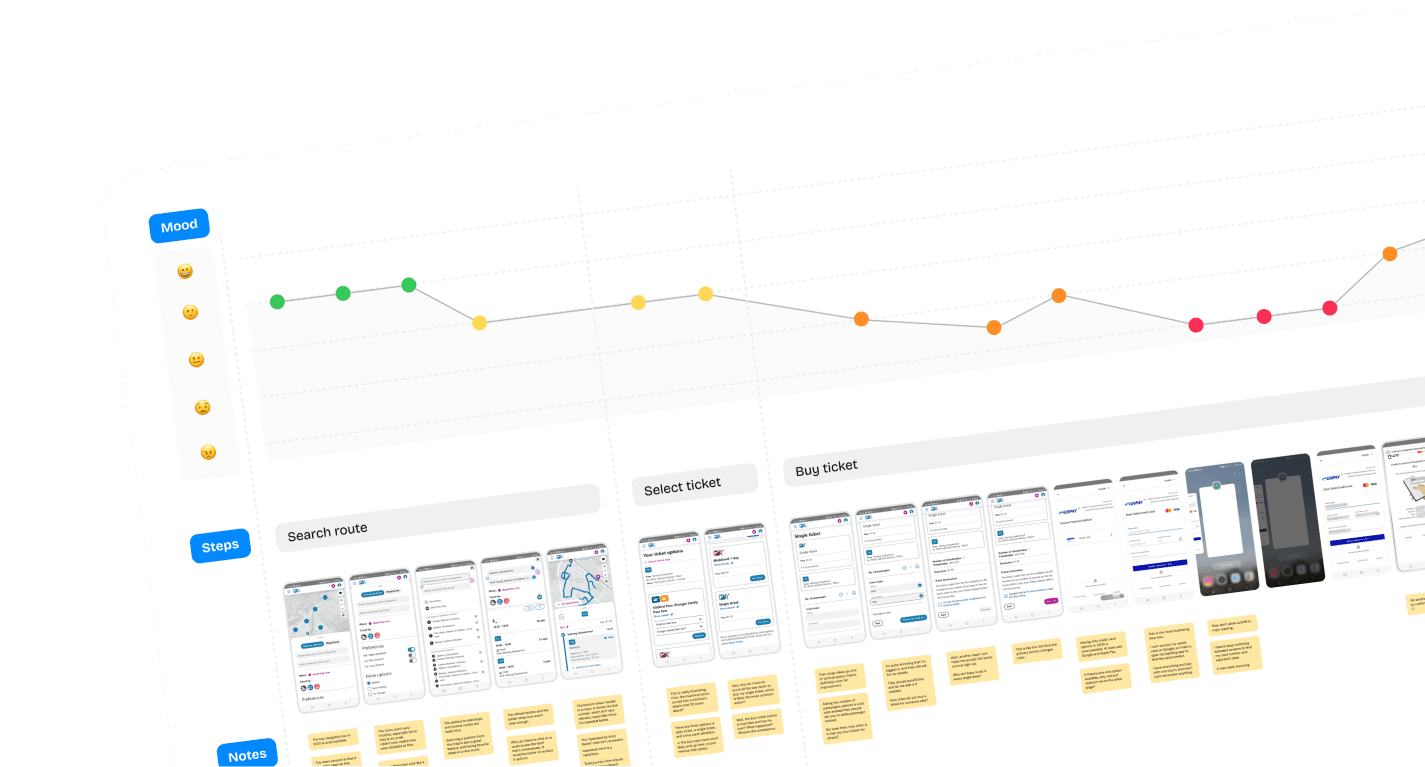
What stood out wasn't just the number of steps. The flow was built around the idea of booking a specific journey, even though the ticket itself was designed to be flexible.
Design Challenge
The flow needed to work for both frequent riders and people using the system for the first time.
There were two very different needs to solve for.
Frequent riders need speed.
They already know they need a City Ticket. They do not want to plan a trip, read explanations, or confirm obvious things every time. They just want to buy, activate, and board.
Occasional riders need guidance.
They may not know if the City Ticket covers their route. They need reassurance before buying, otherwise a fast shortcut is not enough.
Frequent riders need speed.
They already know they need a City Ticket.
They do not want to plan a trip, read explanations, or confirm obvious things every time.
They just want to buy, activate, and board.
Occasional riders need guidance.
They may not know if the City Ticket covers their route.
They need reassurance before buying, otherwise a fast shortcut is not enough.
So the design challenge became:
How might we make City Ticket purchase extremely fast without making it feel risky for people who need help?
The answer wasn't a single flow.
Frequent riders could go straight to a City Ticket shortcut, while occasional riders could use a guided From/To flow to check which ticket they needed.
Product decision
Reframing the City Ticket as a flexible product instead of a fixed journey unlocked the entire redesign
When I mapped the existing flow, one thing stood out: the app treated the City Ticket as if it were tied to a specific journey. But that's not how the ticket works.
The €1.50 City Ticket is a flat-fare urban ticket. Once it's valid, you can use it on any eligible city bus. The route, stop, and departure time aren't part of the product itself.
So instead of starting with a journey and ending with a ticket, I flipped the logic.
The City Ticket became a standalone product that users could buy directly when they already knew what they needed.
For people who weren't sure, the route planner still had a role. They could enter a start and destination, and the app would recommend the right ticket based on that trip.
The difference is that route planning became optional guidance rather than a required step.
Home Screen
The homepage shifted from route search to the tasks people use most.
The original homepage was heavily focused on search, but that didn’t reflect how many people actually use the app day to day. Often, they open it to check a ticket, buy a pass, or quickly access something they use regularly.
To better support those behaviours, I redesigned the home screen around the user’s current travel situation.
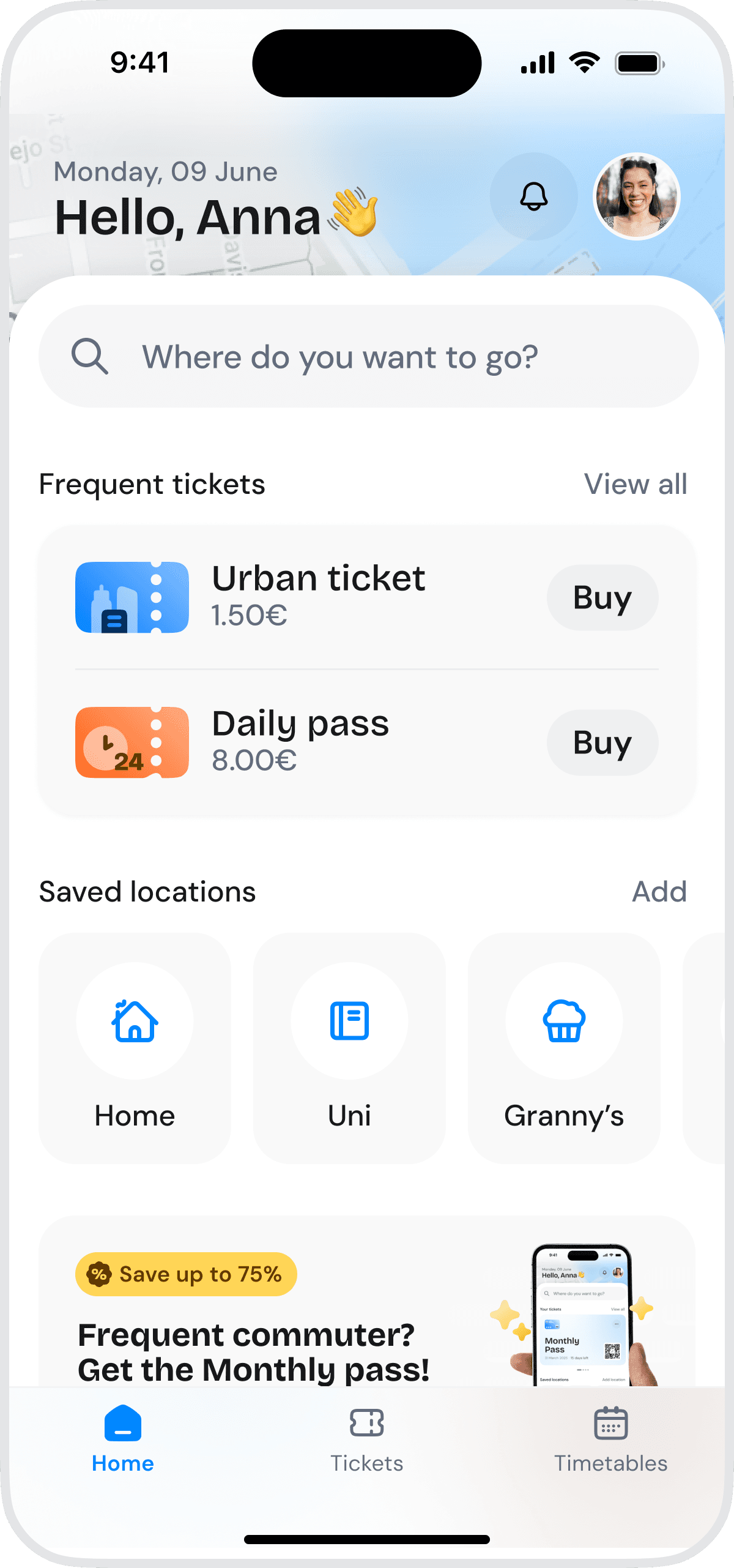
If a user does not have an active ticket or pass, the screen highlights commonly used ticket options for quick buy

Map underneath, acts as an affordance for exploration without cluttering the main view.
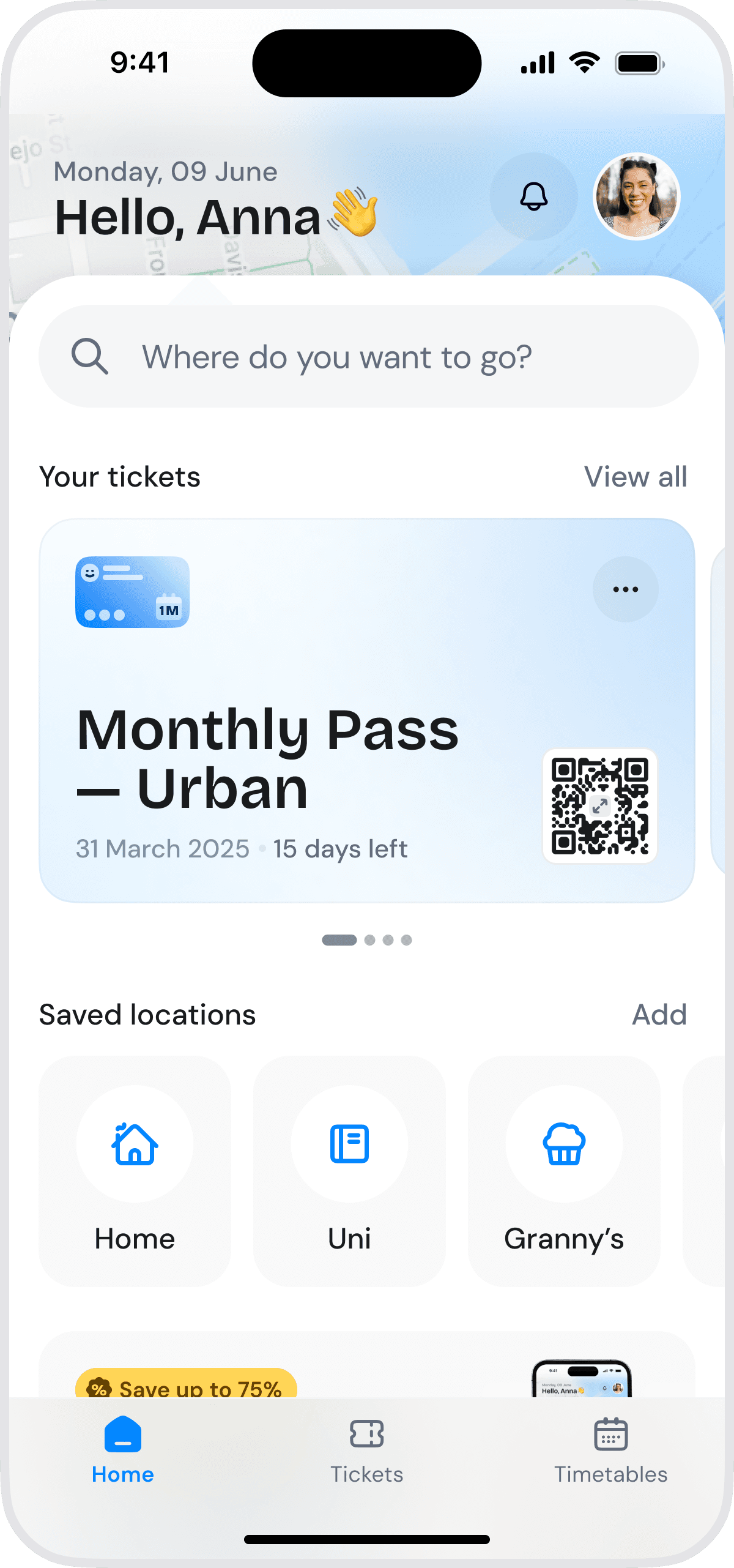
If a user already has a pass, that becomes the priority instead, with direct access to ticket details and the QR code.
The original homepage was heavily focused on search, but that didn’t reflect how many people actually use the app day to day. Often, they open it to check a ticket, buy a pass, or quickly access something they use regularly.
To better support those behaviours, I redesigned the home screen around the user’s current travel situation.
Fast path
Commuters should not need a trip planner to buy the same ticket every day.
For frequent riders, I added a direct City Ticket entry point from the home screen.
The ticket is not hidden behind route selection, instead it appears as a clear purchase option.
This supports the simplest intent: "I know what I need. Let me buy it."

Route planning still has a place in the app. It just shouldn't be a required step for people who already know they need a City Ticket.
Guided path
Unsure, occasional riders still need the app to tell them which ticket is right.
The shortcut works well for people who already know which ticket they need. But not everyone does.
Occasional riders often want reassurance before paying, so I kept a guided From/To flow that helps them figure out whether the City Ticket is the right option.
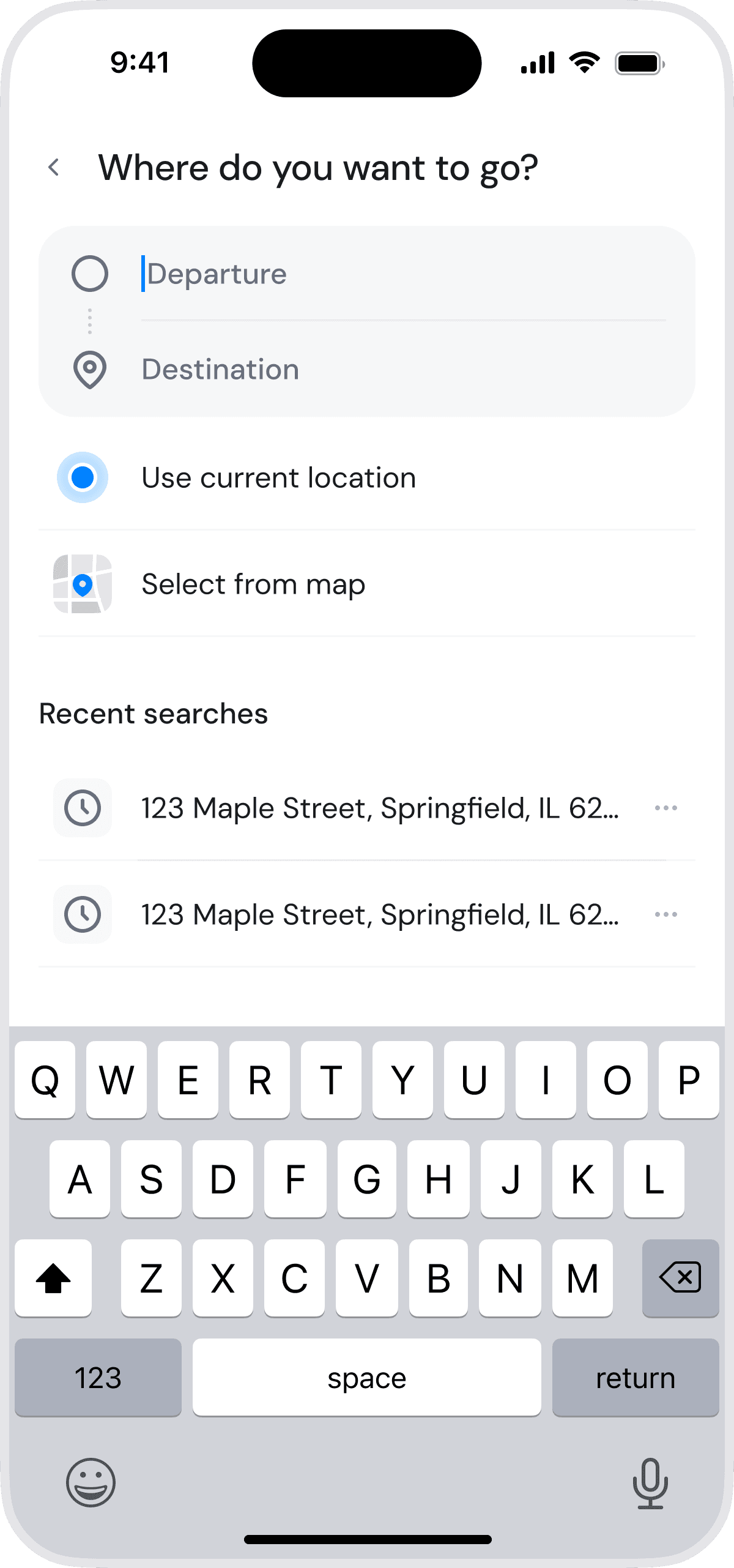


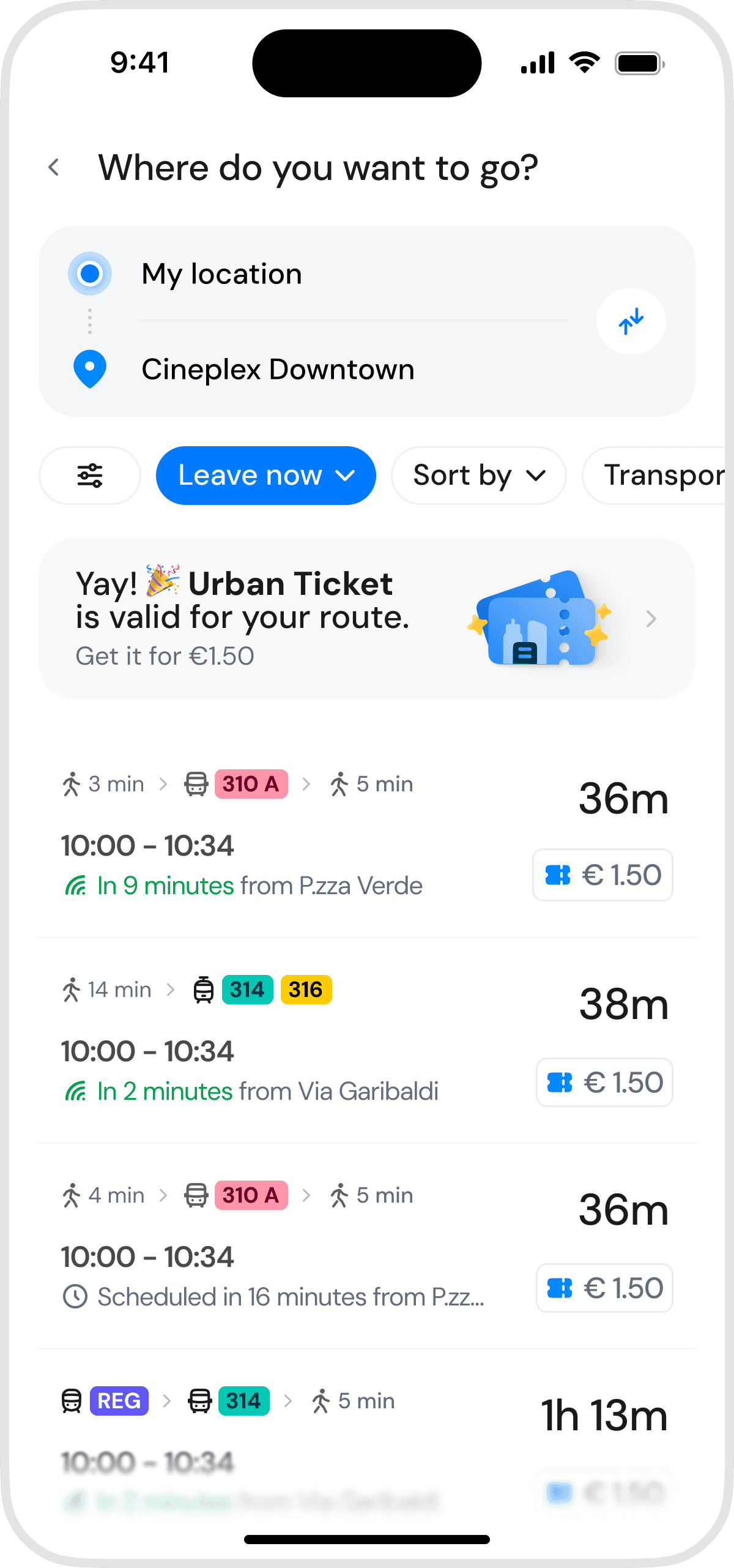
The user selects where they are starting and where they want to go. If the trip is covered by the urban ticket, the app shows a clear recommendation: "City Ticket available for this trip €1.50"
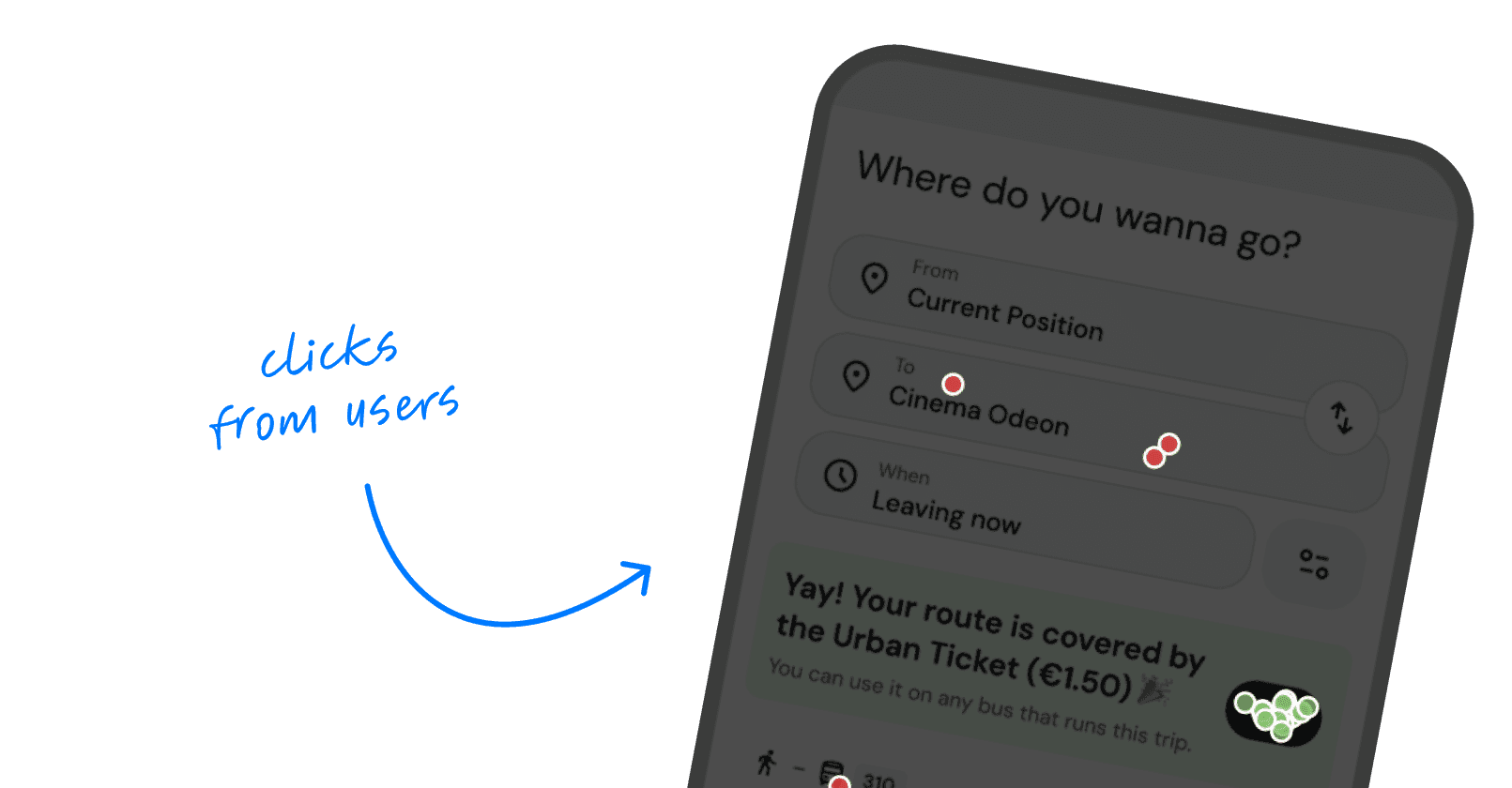
Testing isight
77% of users clicked the Urban Ticket recommendation
I was worried the banner might be mistaken for a promo, but users treated it as guidance. It became the main entry point for choosing the right ticket.
39 total clicks · 23% misclicks
This way, users do not need to understand every local fare rule before buying. The app does the matching for them.
This also avoids the opposite problem: making the City Ticket so prominent that people buy it when they are not sure it applies.
Checkout
Paying for a city ticket should take seconds, not feel like a checkout flow.
The existing purchase process asked users to fill in information, confirm details multiple times, and leave the app to complete payment.
That might be acceptable for a larger purchase, but it creates unnecessary friction when someone is trying to buy a €1.50 bus ticket before it arrives.
In the redesign, payment happens through Apple Pay or Google Pay. Users can confirm the purchase with Face ID or their device authentication and return straight to the ticket.
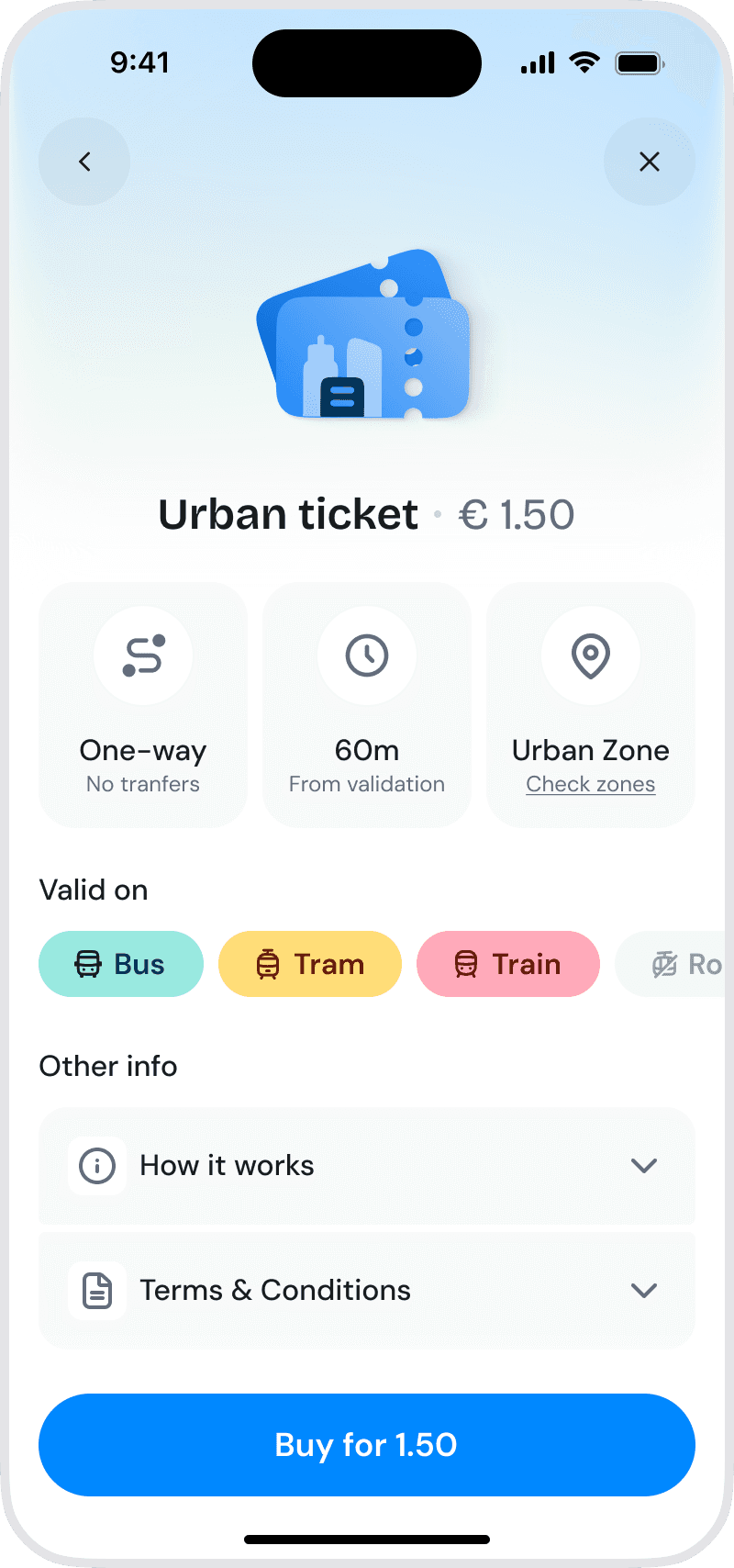
Quick info cards chunked together for easy scanning.
Clear validation rules so users aren't left guessing
Fixed buy button, always within thumb reach
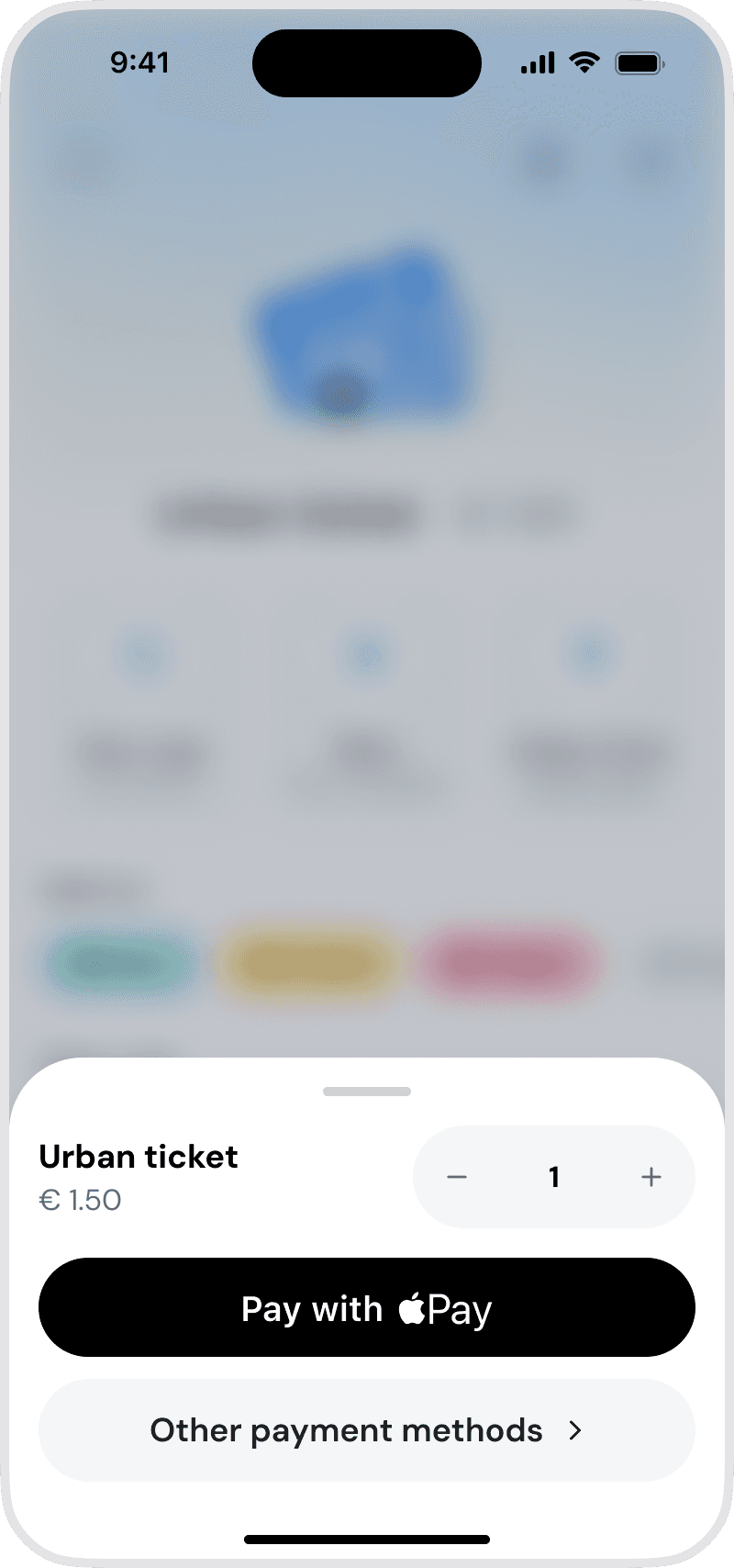
App remembers last used payment method
Other payments are one click away, to declutter the UI and keep cognitive load low
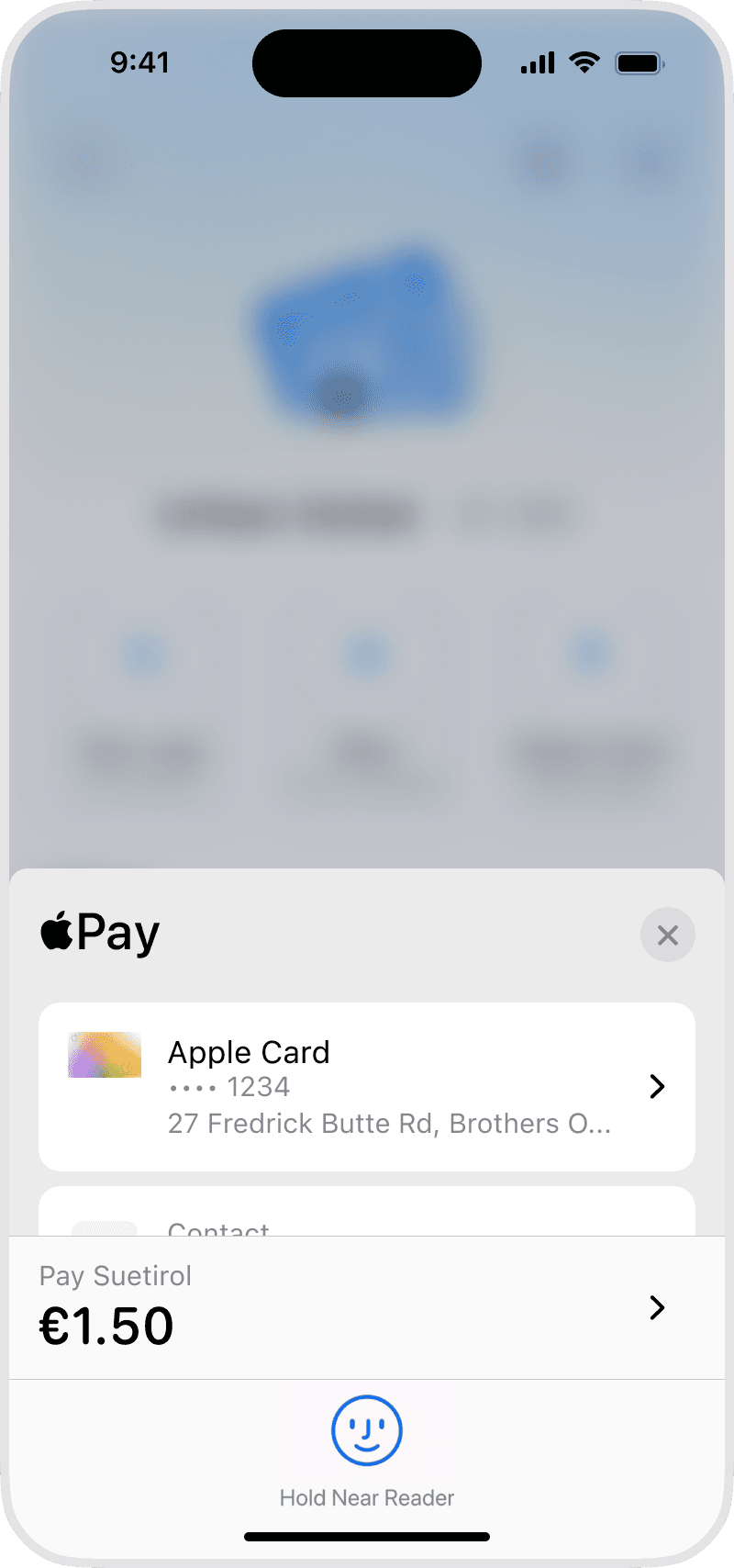
Apple Pay/Google Pay native integration to removes context switching, a speeds up payment
Activation
Making the next step obvious
One issue I noticed early on was the gap between purchasing a ticket and actually being able to use it. Buying the ticket wasn't enough. Users still needed to activate it before boarding, but that step wasn't always clear.
To address this, I made activation the focus of the post-purchase screen. The primary action is Activate, and everything else takes a back seat until that step is complete.
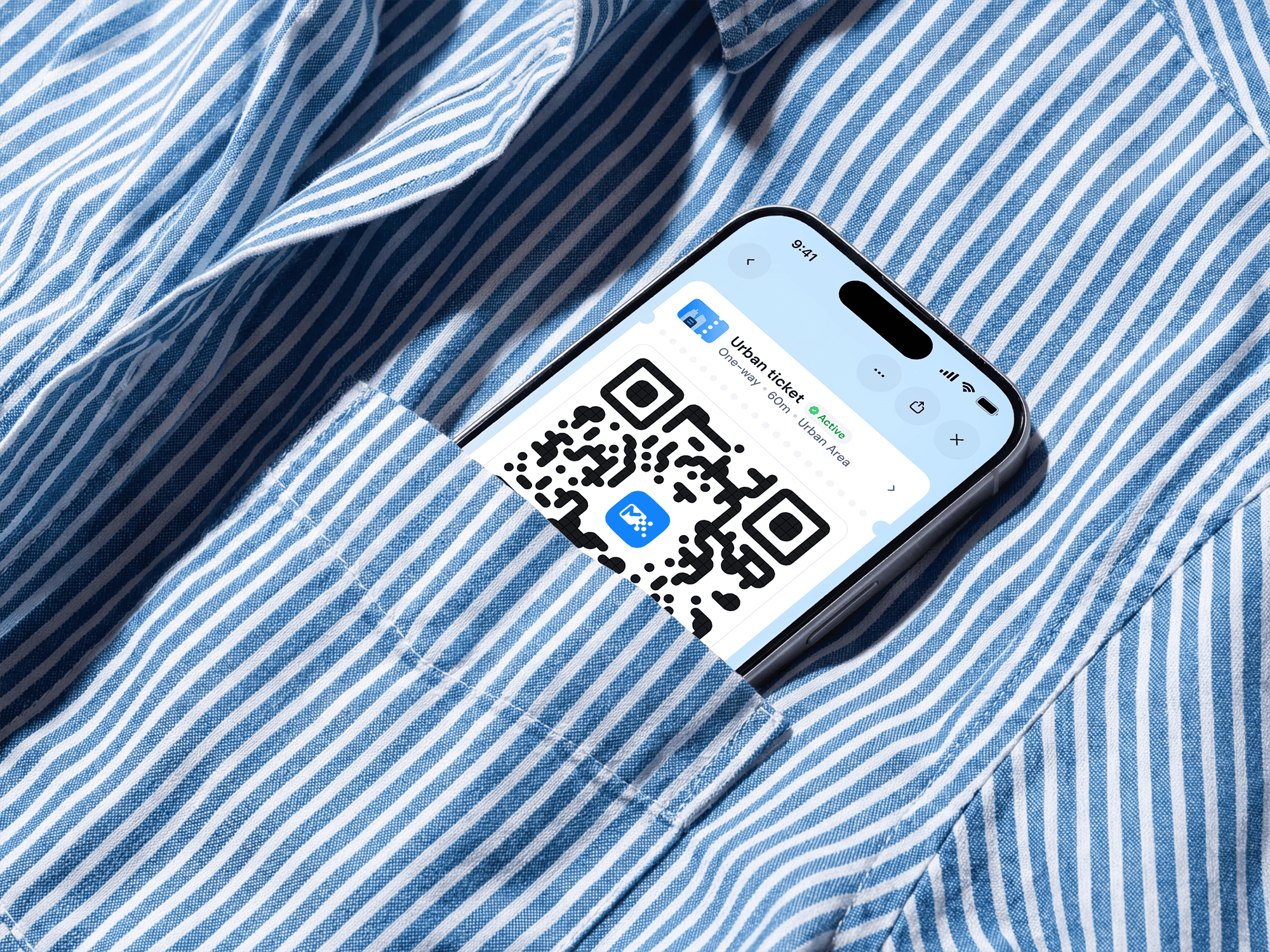
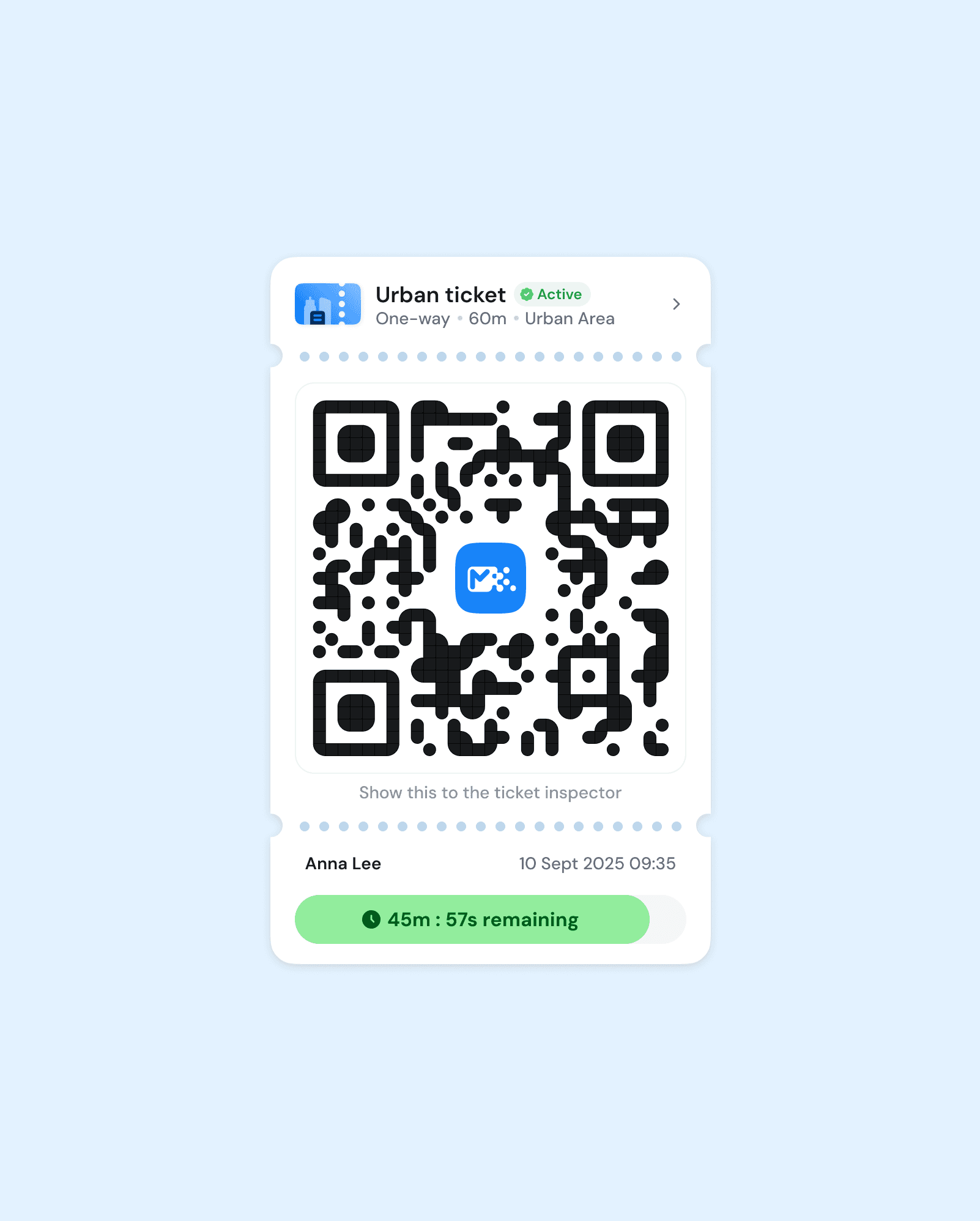
Once activated, the user sees the QR code, countdown timer, and confirmation that the ticket is valid.
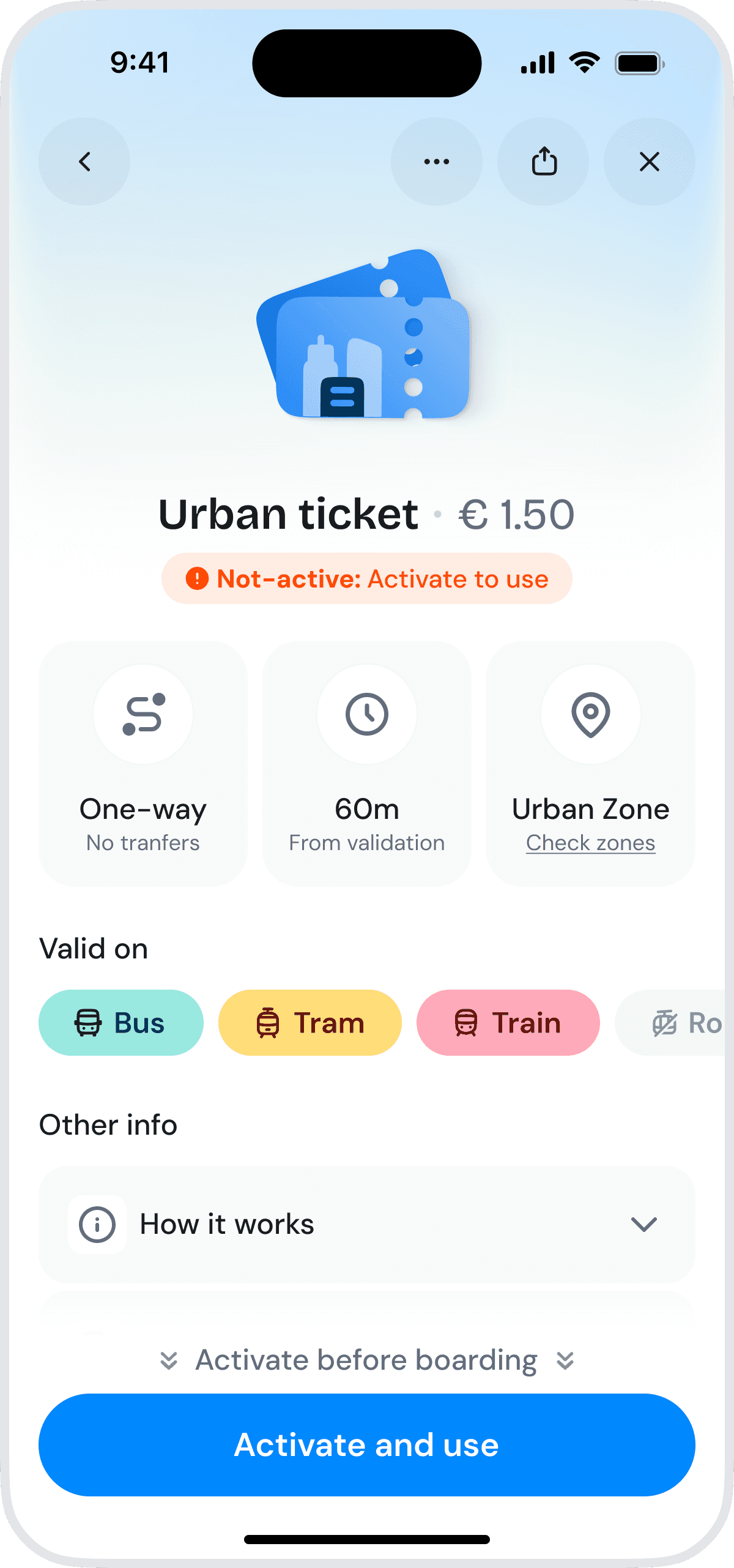
Clear inactive state makes the difference between “purchased” and “valid” obvious.
Primary CTA reinforces the next required action: activate before boarding.

Intentional friction, confirmation prevents accidental activation, which some users flagged as an issue.
Copy sets expectations, defining clear consequences (“valid for 60 min”) and avoids mistakes.
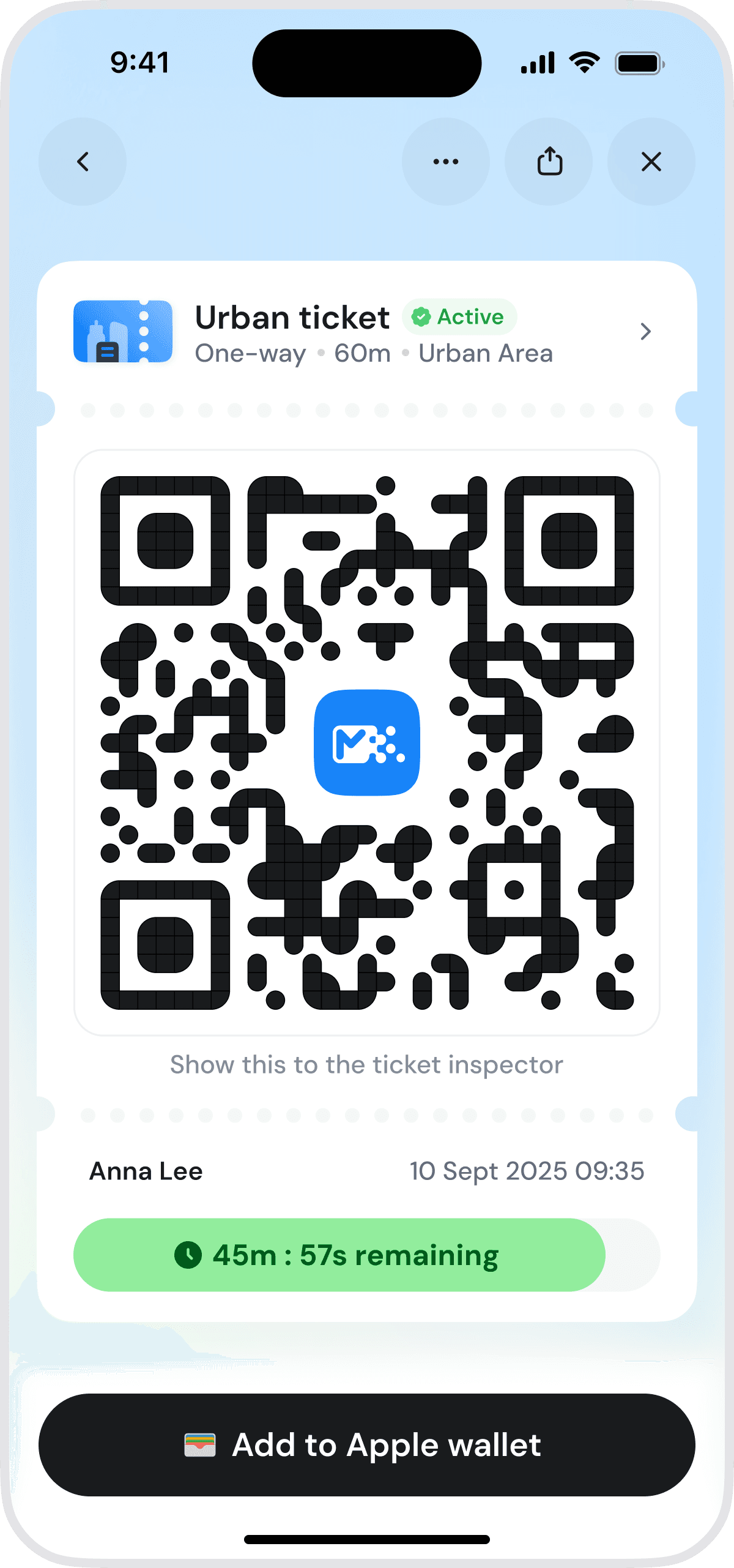
Prominent QR code makes it quick to show in real-world use, no fumbling.
Traveler name + timestamp, add trust and make tickets usable even in screenshots/offline.
Countdown timer reduces anxiety
Apple Wallet shortcut to align with user habits
Results
TESTing Outcomes
Faster purchases, fewer steps, and more user confidence
Before designing the final screens, I tested low-fidelity prototypes in Lyssna to see whether the new information architecture actually worked.
The goal was not to validate visual design yet. I wanted to understand whether users could reach the right ticket, which path they naturally took, and whether the shortcut and recommendation banner were clear enough without explanation.
I tested two task scenarios:
Buy a City Ticket: simulating a frequent rider who already knows what they need.
Buy the appropriate ticket to go from your current location to Cineplex Downtown: simulating an occasional rider who needs help choosing the right ticket.
The fast-purchase path worked well from the start.
The guided path needed one extra iteration. In the first test, I showed occasional riders a screen that was too populated for a first-time user scenario, which made the recommendation easier to miss and polluted the results. After simplifying the layout and giving the Urban Ticket banner more prominence, users understood it as guidance and used it to reach the right ticket.
The results gave me enough confidence to move into high fidelity.
Reduced time-on-task by 75%
The main commuter journey was reduced from a lengthy multi-step process to a quick purchase flow.
18 taps → 4–5 taps
3 min → 45 sec

Lowered cognitive effort
9 inputs → 0 inputs
Shortcuts & native payment methods removed forms, manual entry, and external redirects.
4.75/5 avg. Confidence
Self repeorted by testers on unmoderated test
If this shipped
Prototype testing can only tell you so much.
Because this was a concept project, I don't have production data. The results come from timed prototype and unmoderated usability tests rather than real-world usage.
Normally, I'd want to understand whether it actually changed behaviour, not just whether people completed tasks faster.
Some of the metrics I'd track:
Time from opening the app to reaching a valid ticket
Drop-off during payment
Conversion from the route-planner recommendation to purchase
Activation errors
Support requests related to ticket validity
Adoption of digital tickets compared to paper tickets
Changes in app review sentiment around ticket purchasing
The question I'd be most interested in is whether people start treating the digital ticket as the default option rather than the backup.
Learnings
Sometimes the interface isn't creating the problem, it’s exposing a product decision that doesn’t match real user behaviour.
The biggest improvement wasn't reducing taps or redesigning screens. It was changing the model behind the experience.
When the product logic matched how the ticket actually worked, many of the UX problems solved themselves. The interface became simpler because the system became simpler.
That's the lesson I'll take into future projects: before optimizing a flow, make sure the product itself is asking users to do the right things.